Basic VM Communication
Connect your virtual machine with your host OS so both can communicate (ICMP ping).
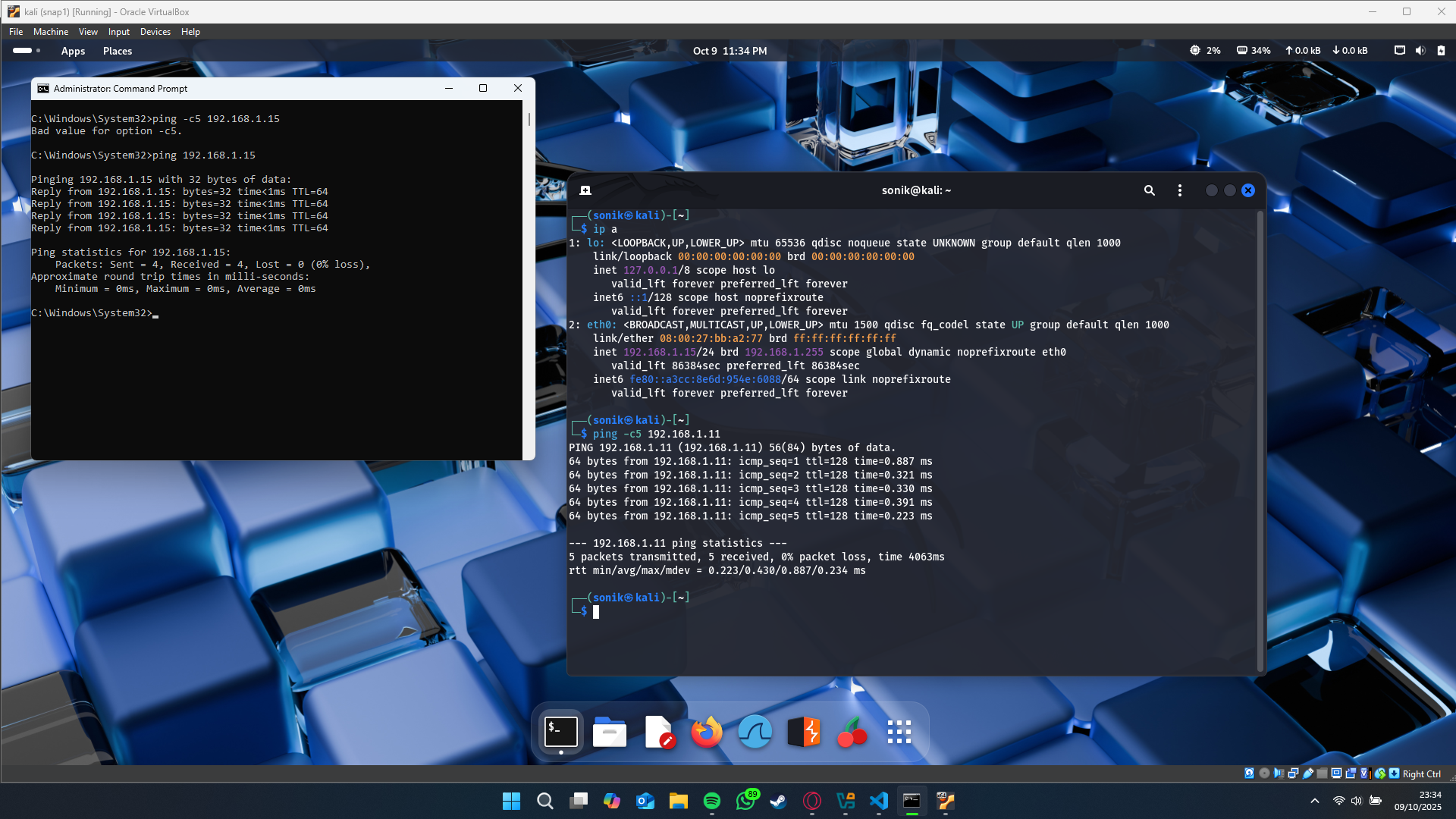
Basic Requirements
- Virtual machine (e.g., Kali Linux) installed and running
- Inbound ICMP (Echo Request) allowed on the host firewall
- VM network set to Bridged Adapter (so it gets its own IP)
Steps
-
Enable Inbound ICMP on Host
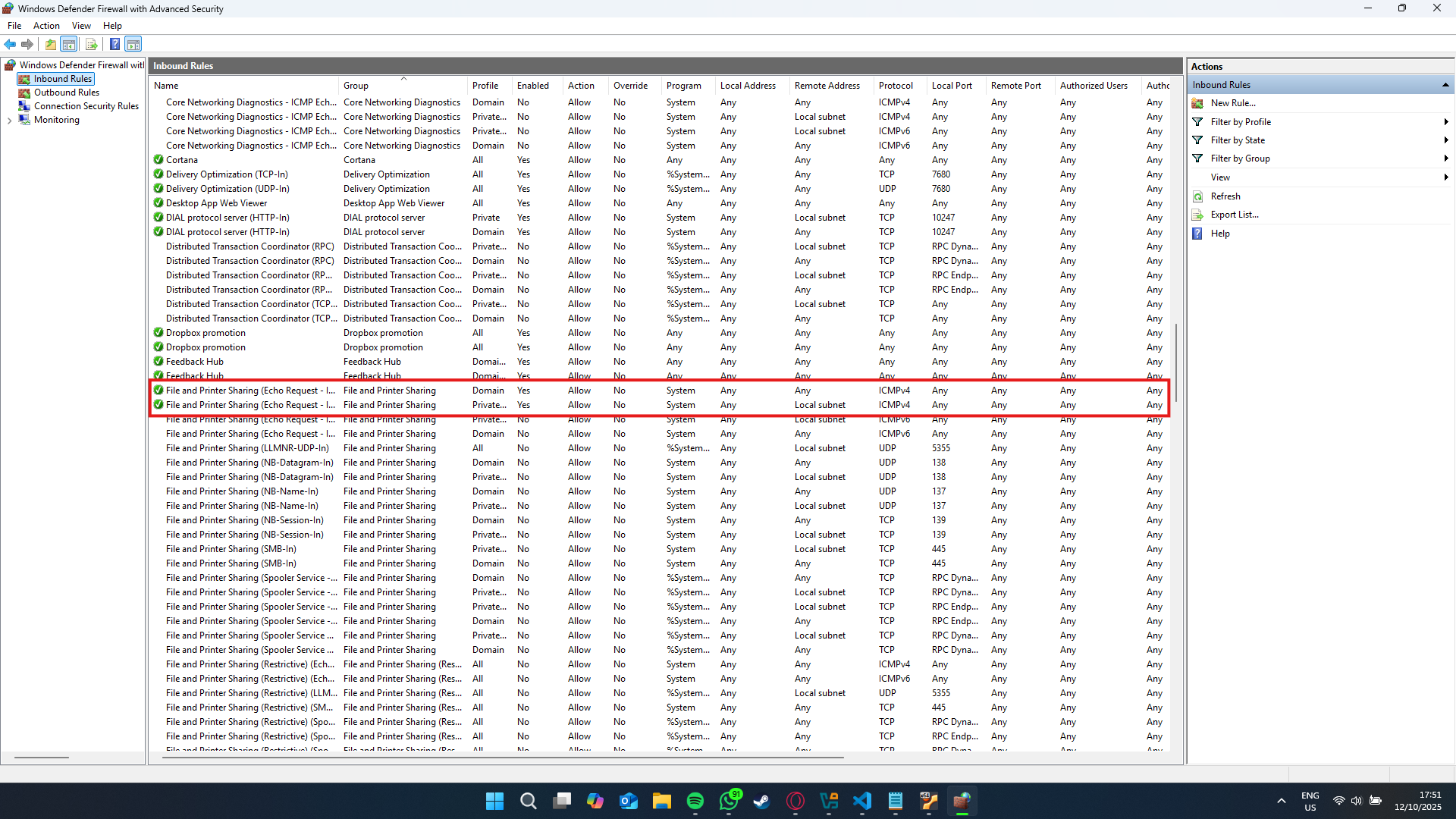
In Windows Defender Firewall → Advanced settings → Inbound Rules, find File and Printer Sharing (Echo Request - ICMPv4-In), then right-click → Enable Rule.
-
Start the VM (Bridged Networking)
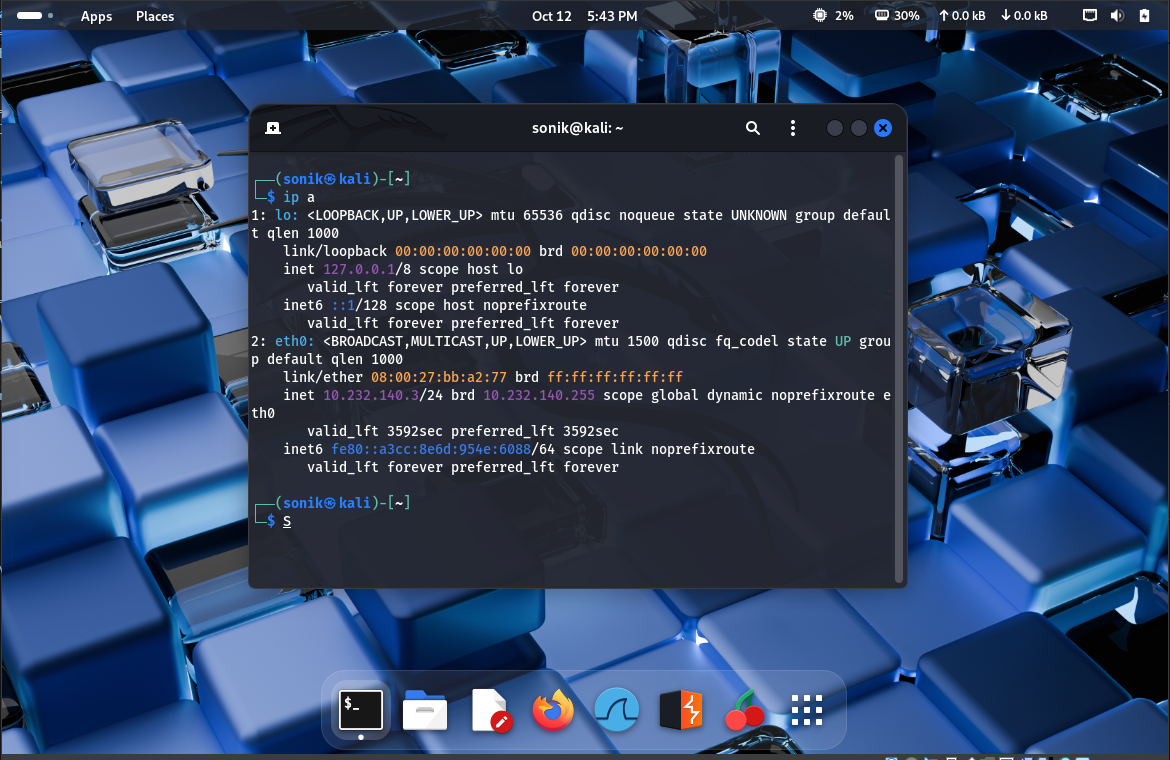
In VirtualBox → VM Settings → Network → Attached to: Bridged Adapter. Inside the VM, get the IP (e.g.,
ip aorifconfig). -
Check Host IP & Ping
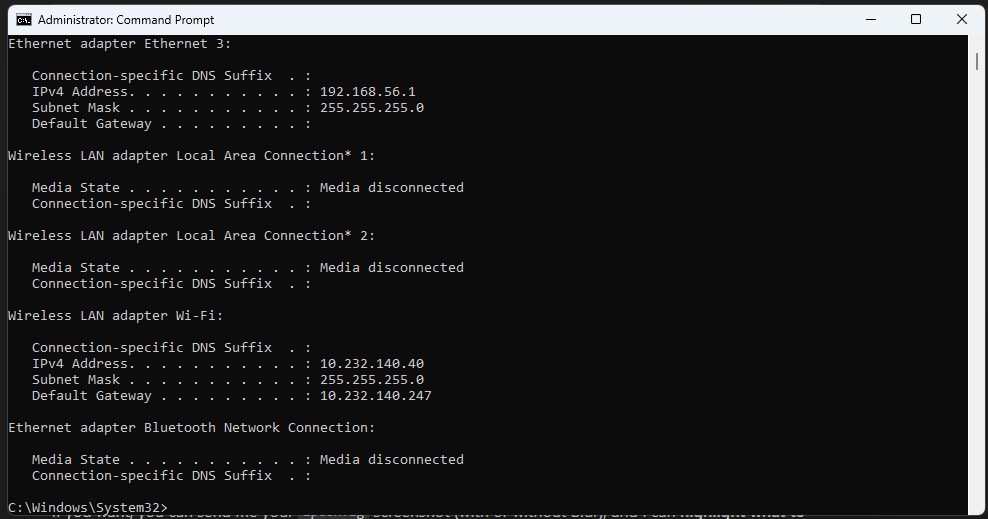
On Windows host:
ipconfig
ping <VM_IP>
You should see Reply from <VM_IP>. You can also ping the host from the VM.
Example: